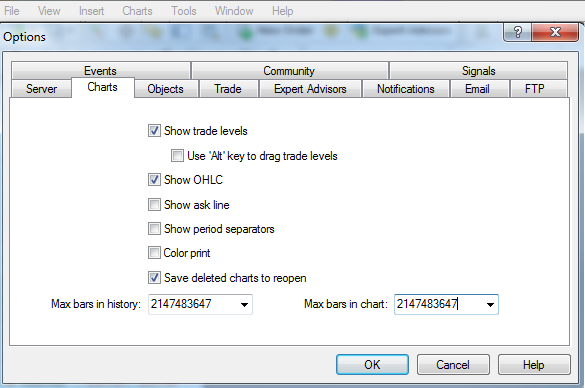
To view more bars and candles on your MT4/MT5 charts, follow the steps below:
- Go to Tools in the menu bar and click Options.
- Select the Charts tab.
- At the bottom, enter your desired value in the Max bars in history and Max bars in chart fields, then click OK.
- Refresh your charts to display this new change. Do this by right-clicking directly onto the chart and selecting ‘Refresh’.