
You can cancel your subscription by accessing Settings->Subscription section:
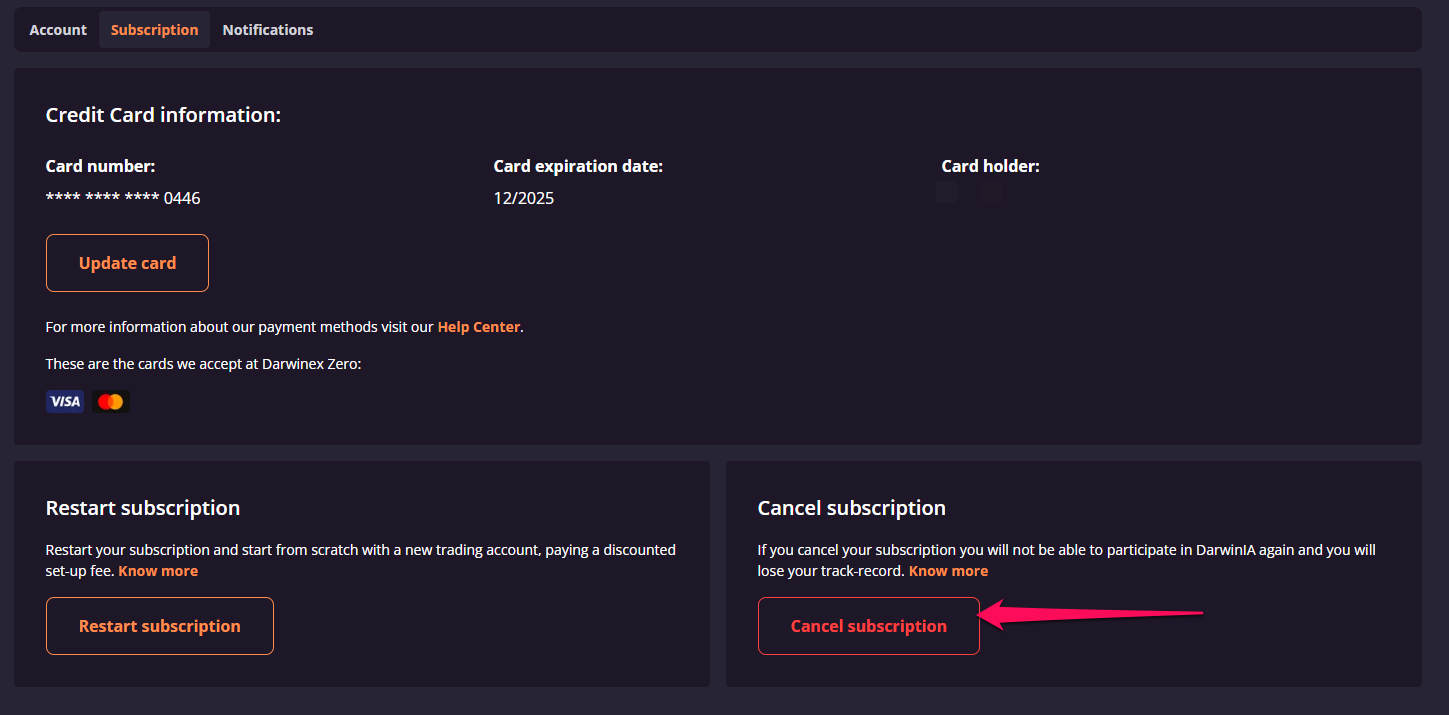
Cancelling your account
Please note that Darwinex Zero collects payments automatically every month. This means that in order to avoid additional charges, you should cancel your subscription before the next payment date.
Cancelling your subscription has the following consequences:
- You retain access to your virtual trading account and the Darwinex Zero platform until the end of the current billing period.
- At the end of the billing period, your MetaTrader signal account is closed.
- You keep access to the Darwinex Zero platform to view your DARWIN history, capital allocation received, and performance fees earned.
At the end of the billing period, your MetaTrader signal account will be closed, however you will retain access to the Darwinex Zero platform and will be able to view your DARWIN history and information in relation to capital allocation received and performance fees earned.
Can I change my mind?
Yes, within a limited window. If you reactivate your subscription before your next payment date, your account and your accumulated track record are preserved in full.
Once that payment date passes, the cancellation becomes final: your track record is deleted and you can only begin again with a new subscription, starting from zero.
If you wish to retain your track record after cancelling your subscription, you can do so by reactivating the subscription before the next payment date. After the end of the month, the track-record will be deleted.
Once your subscription has been cancelled and not reactivated before the next payment date, you will only be able to restart your subscription. To restart, navigate to Settings > Subscription and follow the sign-up process to create a new subscription. Note that restarting will not restore your previous track record. restart your subscription.
*Subscriptions cancelled on calibration stage are automatically cancelled and it is not possible to reactivate.