Learn how to change both your master and investor MetaTrader password.
Change MT4/MT5 master password
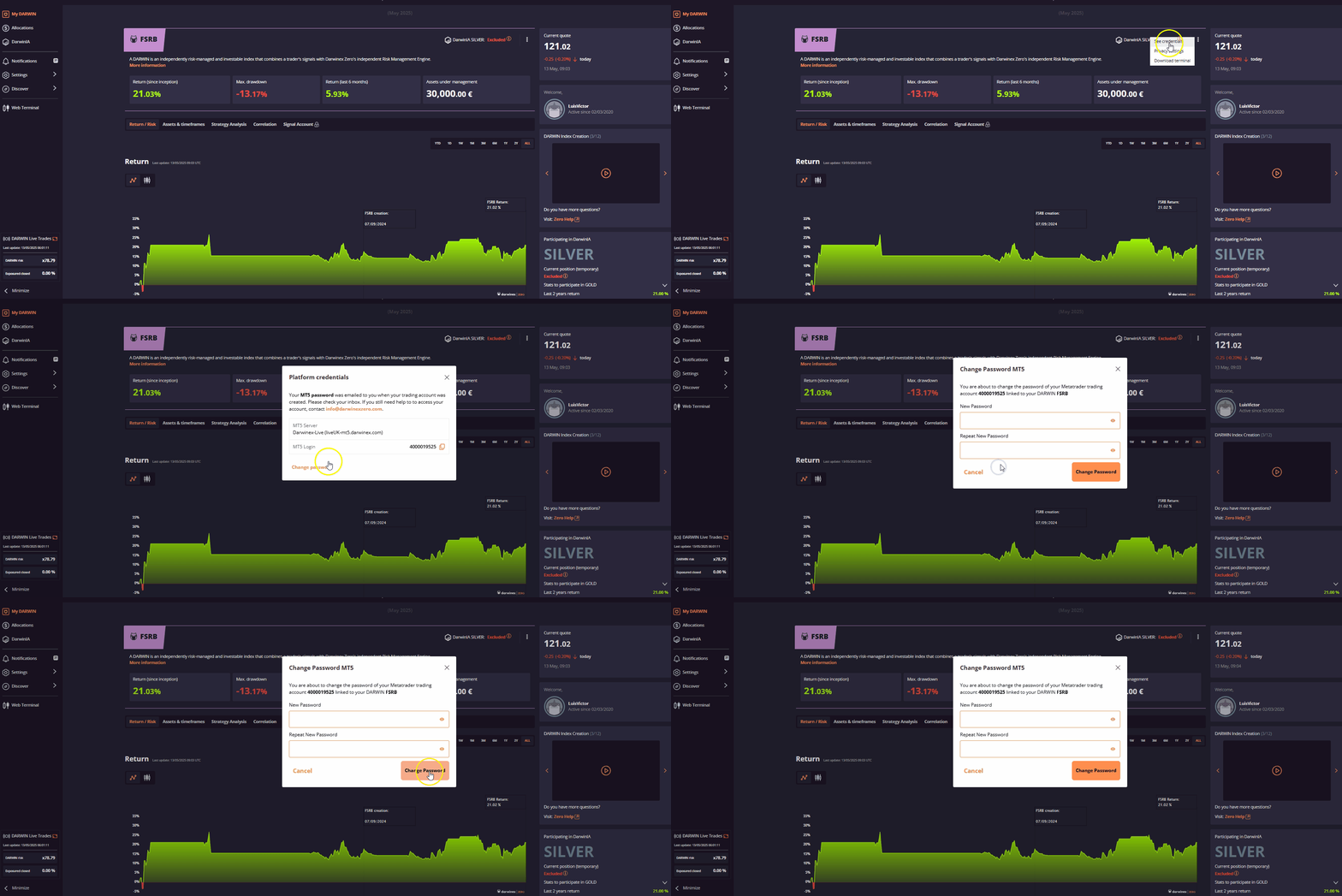
- Open your MT4/MT5 platform
- Click "Tools"
- Click "Options"
- On the "Server "tab, click "Change"
- Type your current master password. If you do not remember it you have to do it from the section My DARWIN login into the Darwinex Zero website with your corresponding user.
- Click "Change master password"
- Type the new master password & confirm
Change MT4/MT5 investor (read-only) password
- Open your MT4/MT5 platform
- Click "Tools"
- Click "Options"
- On the "Server "tab, click "Change"
- Type your current master password. If you do not remember it you have to do it from the section My DARWIN login into the Darwinex Zero website with your corresponding user.
- Click "Change investor (read-only) password"
- Type the new investor password & confirm
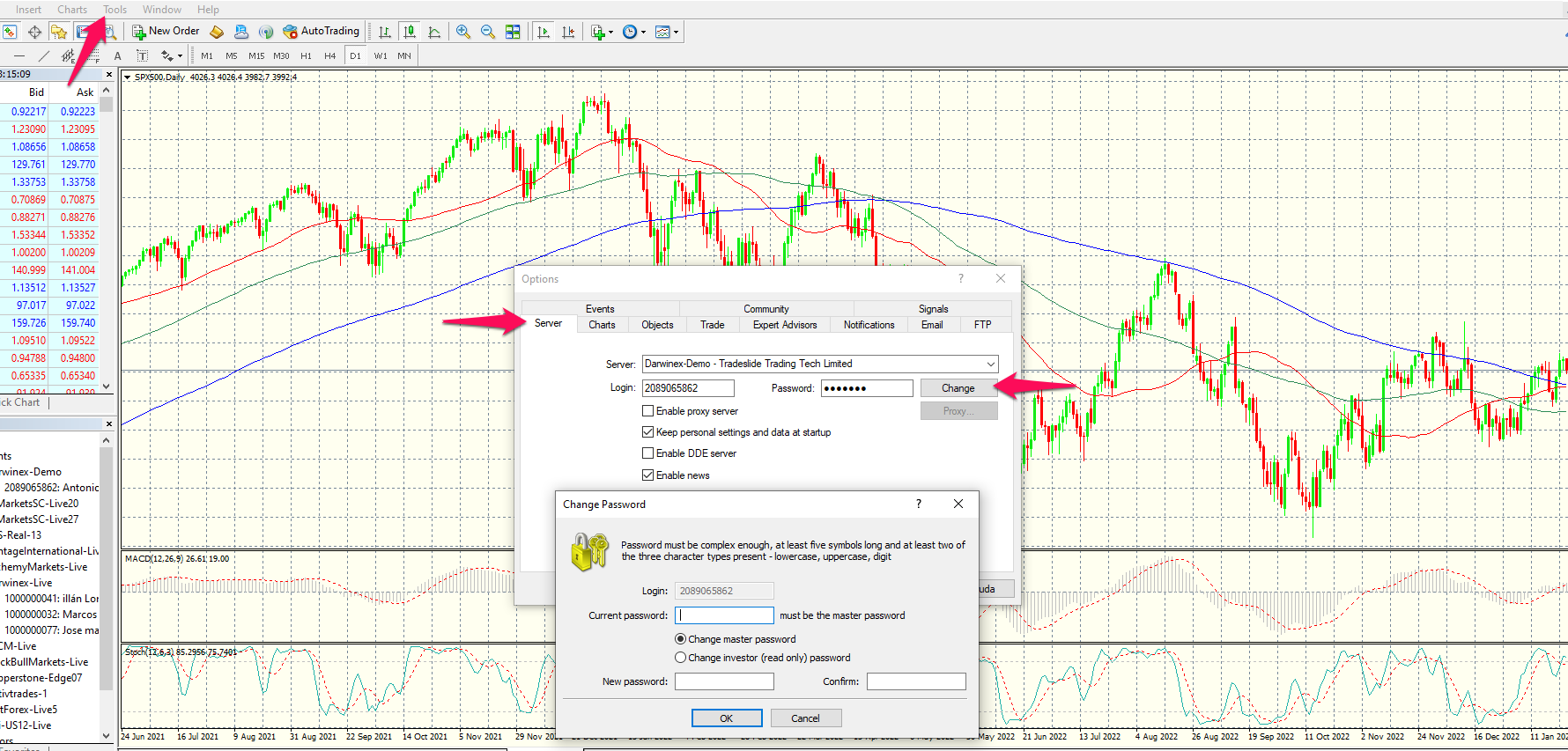
Lost/forgot your master password?
Currently master passwords cannot be reset from the terminal.
You can reset the password from your DARWIN analysis website clicking on the three dot menu that you can find in the top right corner next to the word "Active" and then click on "See credentials"->"Change password" as displayed in the following animated image: