Darwinex Zero password
To modify your Darwinex Zero account password, go to Settings > Account and click Change password:

If, on the contrary, you do NOT remember your account password and, as a consequence, you cannot login on your account, you can request to reset your password here:

The system will then ask you to introduce your email address to send you an email with a link to reset your password.
MetaTrader account password
To change your MetaTrader account password, follow these steps:
- Open your MT4/MT5 platform
- Click Tools
- Click Options
- Click the Server tab
- Click Change
- Type your current master password
- Click Change master password
- Type the new master password and confirm
Change MT4/MT5 investor (read-only) password
You can also modify the investor password by selecting Investor password as follows:

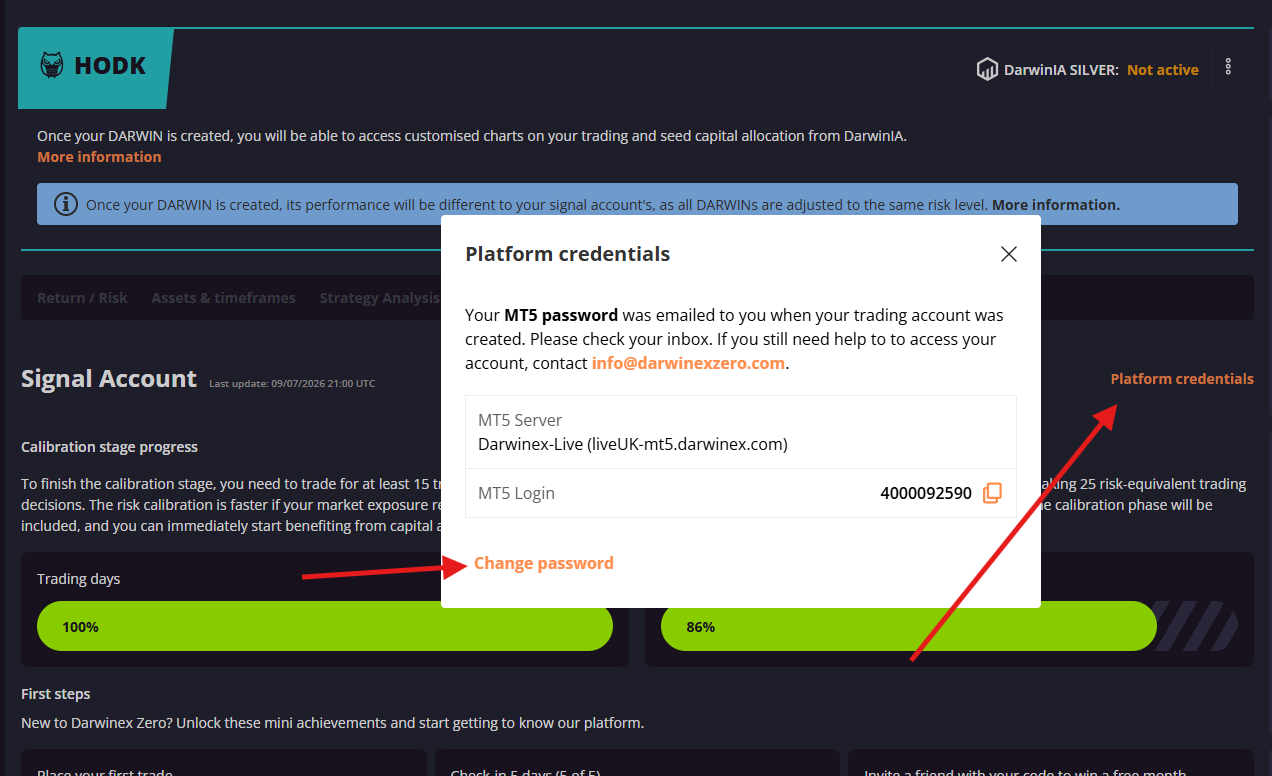
Lost or forgot your master password?
You can also reset your account credentials directly from the My DARWIN tab by clicking Platform credentials > Change password: