
How to connect a Darwinex Zero trading account to TradingView
Learn how to create a TradingView account in Darwinex Zero and connect it to TradingView to trade from the platform.
Darwinex Zero supports TradingView as a trading platform. To connect, select TradingView when creating your Darwinex Zero subscription, then log in to TradingView and choose Darwinex under the Trade tab using the credentials Darwinex Zero provides.
To do this, you need to select TradingView during the process of creating your Zero subscription. Once created, you will be able to access and trade from TradingView using the login credentials provided by Darwinex Zero.
Requirements
Before connecting your Darwinex Zero account to TradingView, please make sure that:
- You have a TradingView account. A free TradingView account is sufficient. Note that free and paid TradingView plans may differ in features such as price update frequency, so check TradingView's current plan details.
- You have an active Darwinex Zero account.
- You have created a TradingView based account at Darwinex Zero.
Create a TradingView account in Darwinex Zero
To trade from TradingView, select TradingView as your platform when opening a Darwinex Zero subscription:
- Log in to your Darwinex Zero account.
- Start the process of creating a new Zero subscription.
- When prompted to choose a platform, select TradingView.
- Complete the remaining steps to create the subscription.
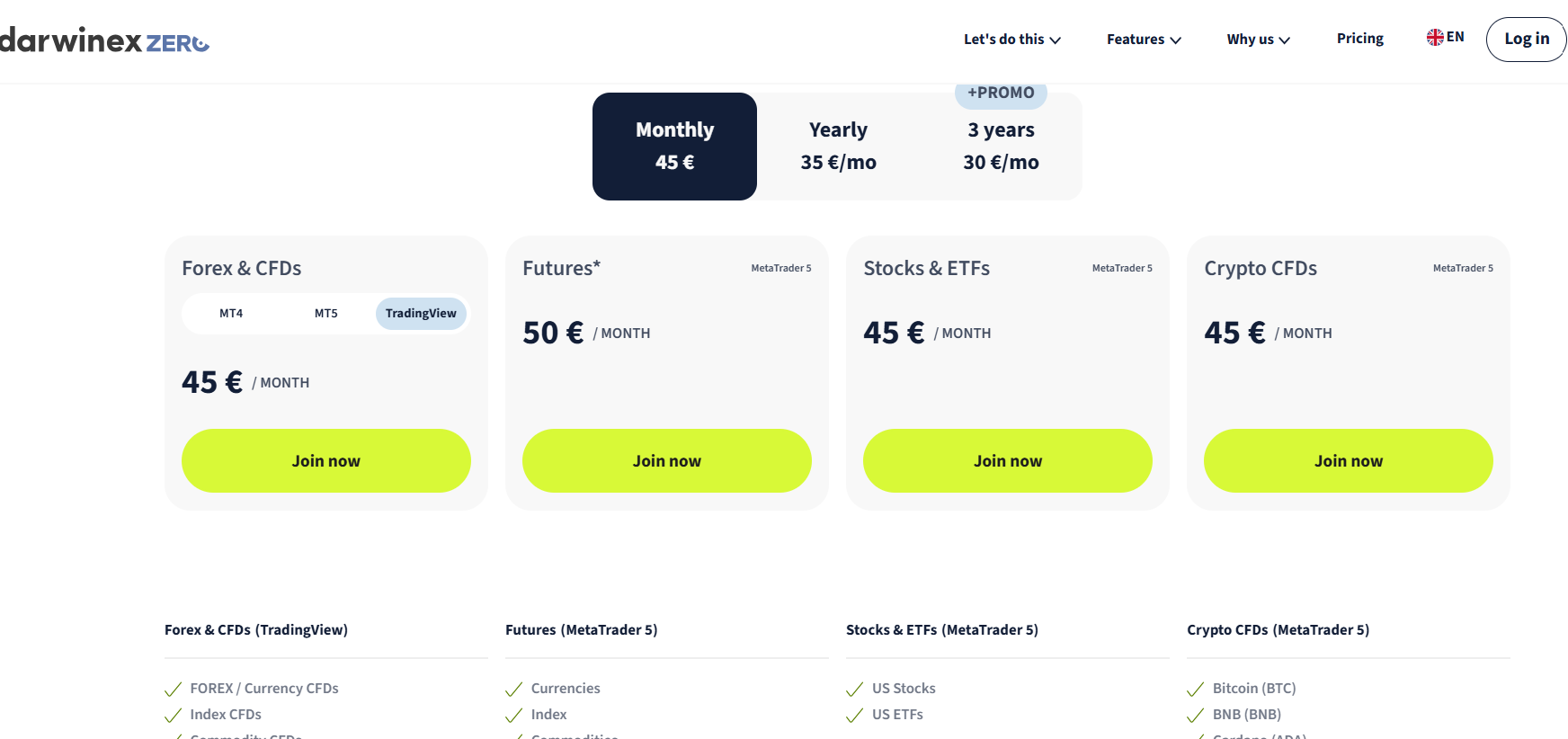
Once the account has been created, Darwinex Zero will display your login credentials on screen and will also send them to you by email.
These credentials include:
- Username
- Password
- TradingView URL
These credentials belong to your Darwinex Zero TradingView account. They are generated when you create your first TradingView-based account and can be used to access all TradingView accounts you create in the future.
Connect Darwinex Zero from TradingView
Once you have your login credentials, follow these steps in TradingView:
- Log in to your TradingView account.
- Open the TradingView chart (Supercharts) from the main menu. Menu labels may change over time.
- At the bottom of the screen, select the Trade tab.
- Search for Darwinex among the available brokers.
- Click Darwinex.
- Enter the username and password provided by Darwinex Zero.
- Click Connect.
Once connected, your Darwinex Zero account will appear in TradingView’s trading panel.
Change your TradingView password
Your TradingView password cannot be changed directly from TradingView.
If you need to change it, you can do so from your Darwinex Zero account area.
To change the password from Darwinex Zero:
- Log in to your Darwinex Zero account.
- Go to My DARWIN section.
- Click Signal Account.
- Select Platform credentials.
- Enter your new password.
- Repeat the new password to confirm it.
- Click Change Password.
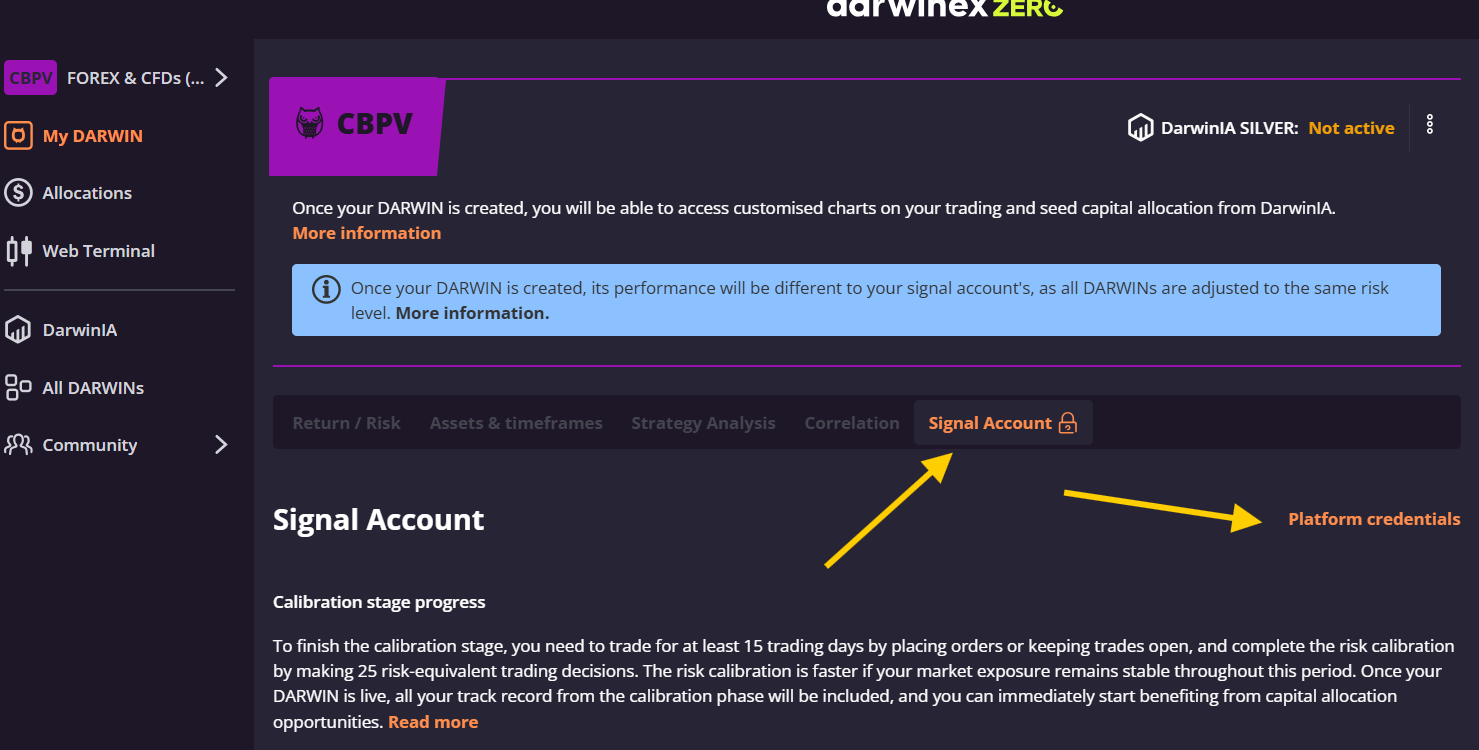
Important information about your credentials
Your TradingView username is the same as your Darwinex Zero username and cannot be changed.
The password is provided when you create your first TradingView account. If you create additional accounts of this type in the future, you will not receive new master credentials, as the same master credentials will be used for all your TradingView accounts.
For security reasons, keep your credentials safe and do not share them with anyone.
If you believe your credentials have been compromised, change your password immediately from your Darwinex Zero account area.
FAQs
Can I connect an existing MT4 or MT5 account to TradingView?
No. Existing MT4 or MT5 accounts cannot be connected to TradingView.
To trade with Darwinex Zero from TradingView, you need to create a new TradingView subscription (or restarting your existing one). The TradingView connection is only available for accounts created through this process.
Do I need a paid TradingView account?
No. You can connect Darwinex Zero to TradingView using a free TradingView account.
Where do I receive my login credentials?
Your credentials are shown on screen when you create your first TradingView account and are also sent to you by email.
Will I receive new credentials if I create another TradingView account?
No. The master credentials are used for all your TradingView accounts.
Can I change my username?
No. Your username matches your Darwinex Zero username and cannot be changed.
Can I change the password from TradingView?
No. The password cannot be changed from TradingView. You need to change it from your Darwinex Zero account area.
Can I use an MT4 or MT5 account from TradingView?
No. TradingView is only available for TradingView accounts created from your Darwinex Zero account area.